> ## Documentation Index
> Fetch the complete documentation index at: https://developers.momogood.com/llms.txt
> Use this file to discover all available pages before exploring further.
# Reporting
> Build send reports from the Tatango data extensions with Automation Studio
The three [data extensions](/messaging/sfmc/data-extensions) are ordinary SFMC data extensions, so anything Automation Studio can do with a data extension works on them: scheduled SQL queries, joins against your own data, file transfers, email summaries. What to report and how is up to you.
The rest of this page walks through one example, a scheduled per-journey deliverability report. Use it as a starting point.
## Example: a per-journey deliverability report
### Create the target data extension
In Contact Builder, create a data extension for the query results, such as `message_deliverability`:
| Field | Type |
| ------------------------ | -------------- |
| JourneyId | Text (50) |
| TotalSent | Number |
| SuccessfulSends | Number |
| DeliverabilityPercentage | Decimal (5, 2) |
| OptOutsCount | Number |
| CleansCount | Number |
| RunDate | Date |
### Create the automation
Open Automation Studio from the **Journey Builder** menu. Create a new automation with a **Schedule** starting source, then add a **SQL Query** activity that writes to the target data extension (overwrite action).
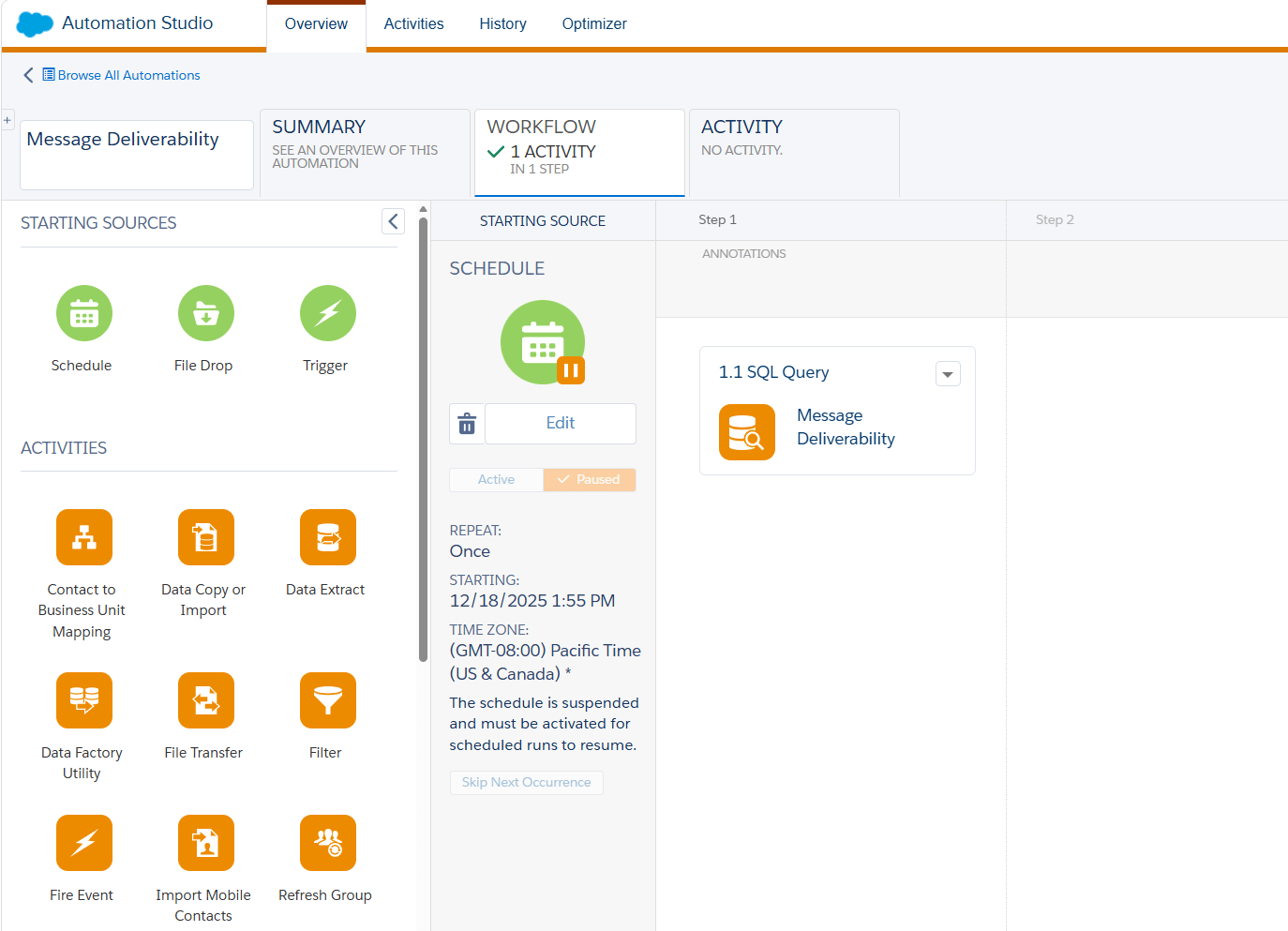 Use this query:
```sql Journey deliverability query theme={null}
SELECT
m.JourneyId,
COUNT(*) AS TotalSent,
SUM(CASE WHEN m.SendStatus = 'success' THEN 1 ELSE 0 END) AS SuccessfulSends,
CAST(
(SUM(CASE WHEN m.SendStatus = 'success' THEN 1 ELSE 0 END) * 100.0)
/ NULLIF(COUNT(*), 0)
AS DECIMAL(5,2)
) AS DeliverabilityPercentage,
(
SELECT COUNT(*)
FROM tatango_subscribers s
WHERE s.OptedOutJourneyId = m.JourneyId
AND s.OptedOutJourneyId <> 'TEST MESSAGE'
) AS OptOutsCount,
(
SELECT COUNT(*)
FROM tatango_subscribers s
WHERE s.CleanedJourneyId = m.JourneyId
AND s.CleanedJourneyId <> 'TEST MESSAGE'
) AS CleansCount,
GETDATE() AS RunDate
FROM tatango_messages m
WHERE m.SendStatus <> 'skipped'
AND m.JourneyId <> 'TEST MESSAGE'
GROUP BY m.JourneyId
```
Use this query:
```sql Journey deliverability query theme={null}
SELECT
m.JourneyId,
COUNT(*) AS TotalSent,
SUM(CASE WHEN m.SendStatus = 'success' THEN 1 ELSE 0 END) AS SuccessfulSends,
CAST(
(SUM(CASE WHEN m.SendStatus = 'success' THEN 1 ELSE 0 END) * 100.0)
/ NULLIF(COUNT(*), 0)
AS DECIMAL(5,2)
) AS DeliverabilityPercentage,
(
SELECT COUNT(*)
FROM tatango_subscribers s
WHERE s.OptedOutJourneyId = m.JourneyId
AND s.OptedOutJourneyId <> 'TEST MESSAGE'
) AS OptOutsCount,
(
SELECT COUNT(*)
FROM tatango_subscribers s
WHERE s.CleanedJourneyId = m.JourneyId
AND s.CleanedJourneyId <> 'TEST MESSAGE'
) AS CleansCount,
GETDATE() AS RunDate
FROM tatango_messages m
WHERE m.SendStatus <> 'skipped'
AND m.JourneyId <> 'TEST MESSAGE'
GROUP BY m.JourneyId
```
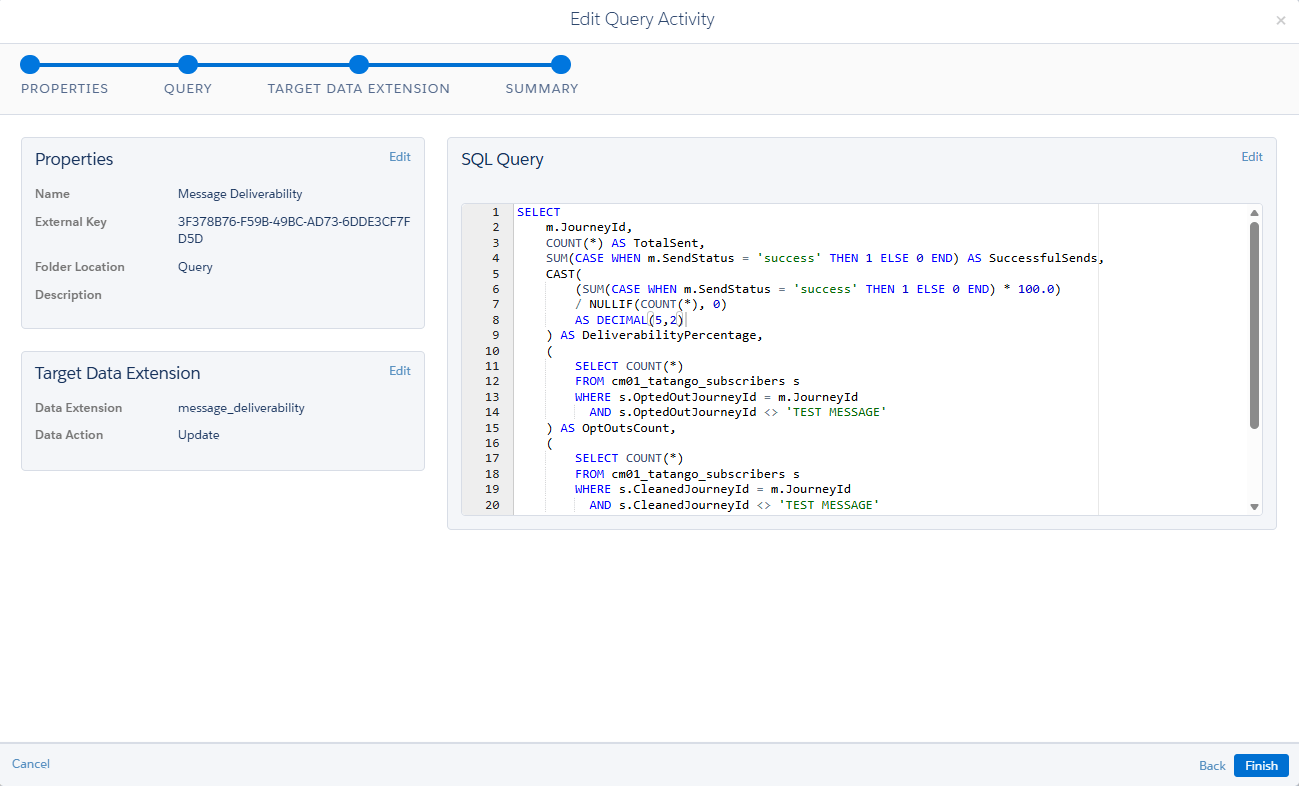 For every journey, the query reports:
* **TotalSent** — send attempts, excluding skipped sends.
* **SuccessfulSends** and **DeliverabilityPercentage** — sends that reached the recipient, and their share of the total.
* **OptOutsCount** — subscribers who opted out from that journey's messages.
* **CleansCount** — numbers that journey's sends found unable to receive text messages.
The query excludes test sends (journey ID `TEST MESSAGE`) and skipped sends, so neither drags down deliverability.
Run the automation (or wait for its schedule) and open the target data extension in Contact Builder to see the results.
For every journey, the query reports:
* **TotalSent** — send attempts, excluding skipped sends.
* **SuccessfulSends** and **DeliverabilityPercentage** — sends that reached the recipient, and their share of the total.
* **OptOutsCount** — subscribers who opted out from that journey's messages.
* **CleansCount** — numbers that journey's sends found unable to receive text messages.
The query excludes test sends (journey ID `TEST MESSAGE`) and skipped sends, so neither drags down deliverability.
Run the automation (or wait for its schedule) and open the target data extension in Contact Builder to see the results.
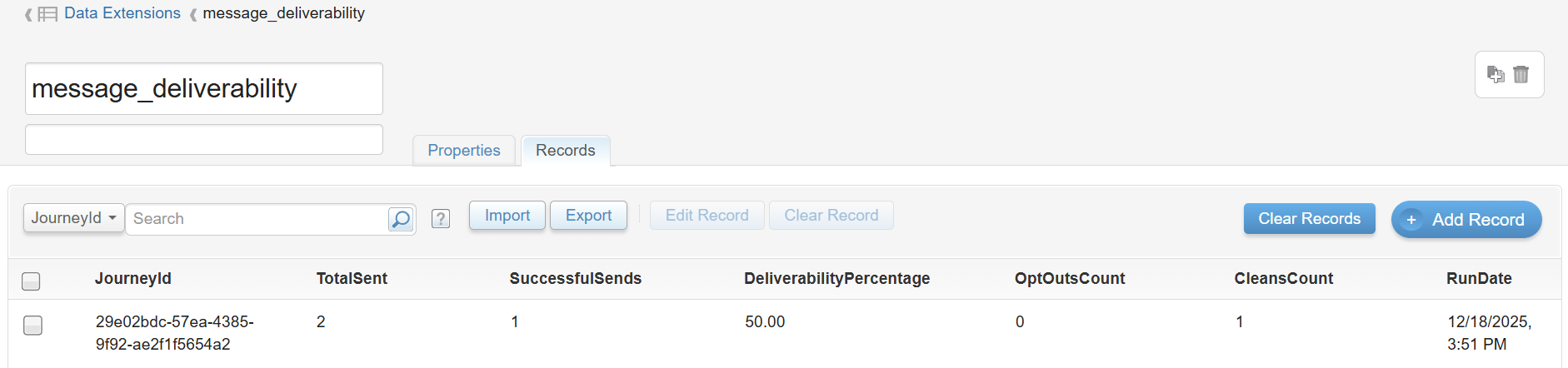 The same pattern answers other questions from the same tables: opt-outs per journey over time (`OptedOutDate`), reply volume per activity (`tatango_replies.ActivityId`), or time from send to delivery (`TimestampSent` against `DeliveryTimestamp`).