

Example: a per-journey deliverability report
Create the target data extension
In Contact Builder, create a data extension for the query results, such asmessage_deliverability:
Create the automation
Open Automation Studio from the Journey Builder menu. Create a new automation with a Schedule starting source, then add a SQL Query activity that writes to the target data extension (overwrite action).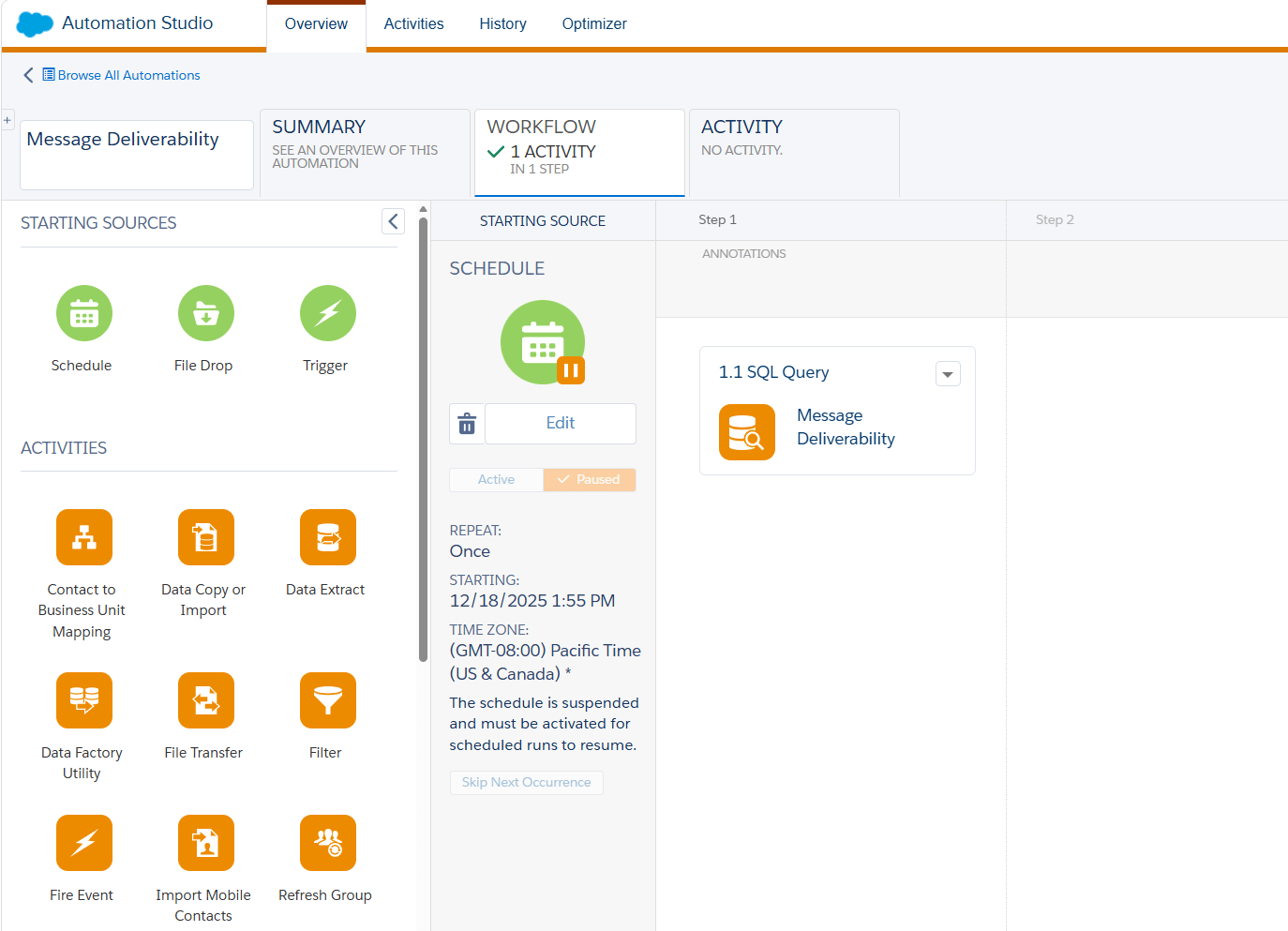
Journey deliverability query
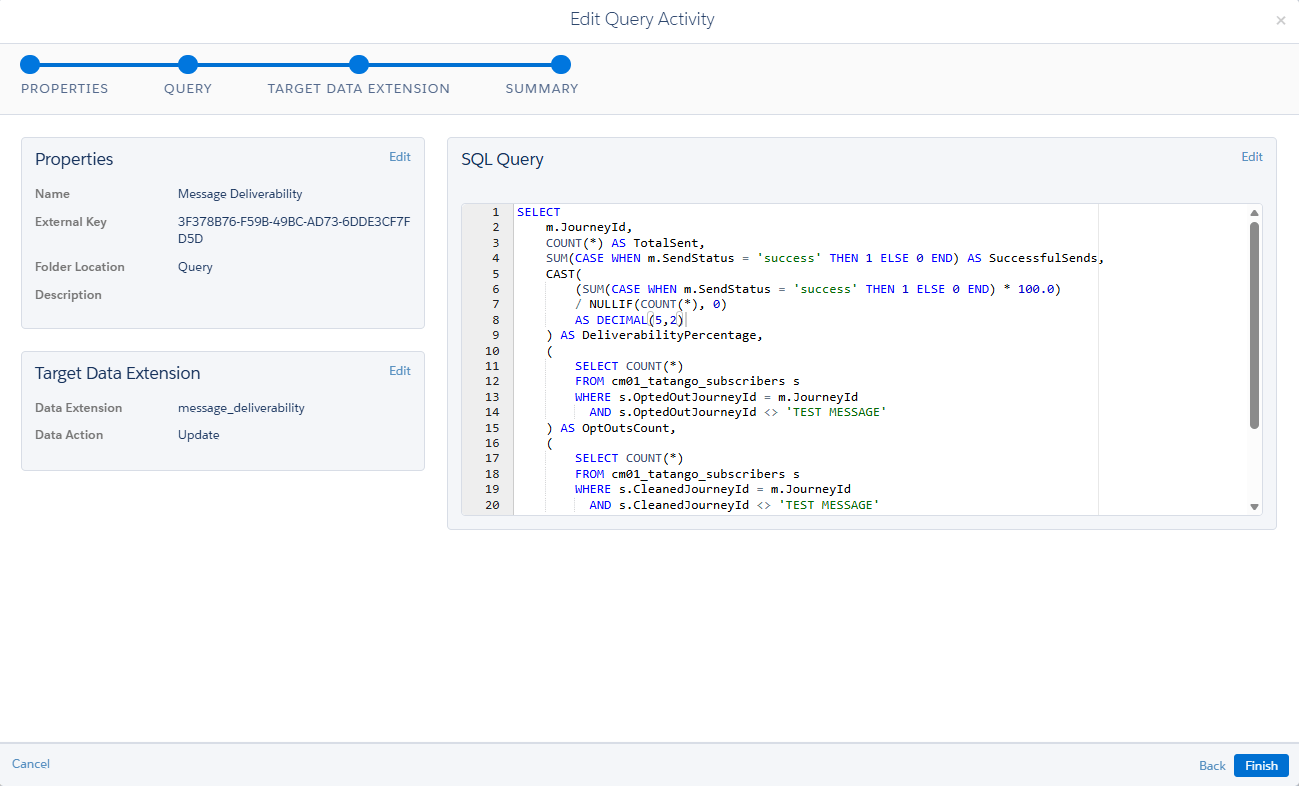
- TotalSent — send attempts, excluding skipped sends.
- SuccessfulSends and DeliverabilityPercentage — sends that reached the recipient, and their share of the total.
- OptOutsCount — subscribers who opted out from that journey’s messages.
- CleansCount — numbers that journey’s sends found unable to receive text messages.
TEST MESSAGE) and skipped sends, so neither drags down deliverability.
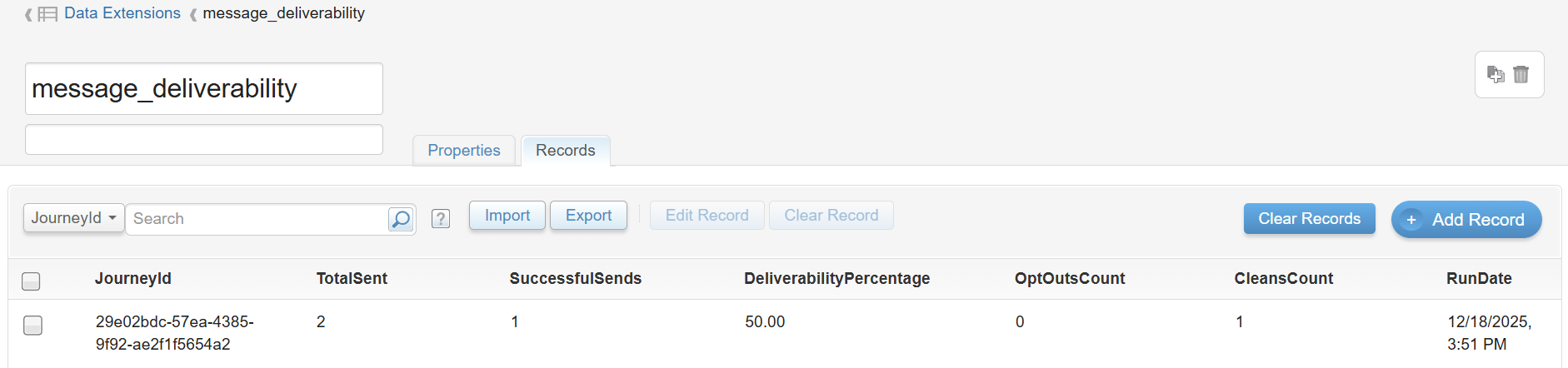
Run the automation (or wait for its schedule) and open the target data extension in Contact Builder to see the results.
OptedOutDate), reply volume per activity (tatango_replies.ActivityId), or time from send to delivery (TimestampSent against DeliveryTimestamp).