

Build the journey
Create a journey whose entry source is backed by a data extension; a Data Extension entry source and an API Event both work. The entry data extension must contain a phone number column and a subscriber key column; beyond that, its shape is up to you: the activity reads whichever columns you select, and every column is available as a merge tag. Drag the Tatango Transactional Message activity from the Messages section of the palette onto the canvas, then open it to configure.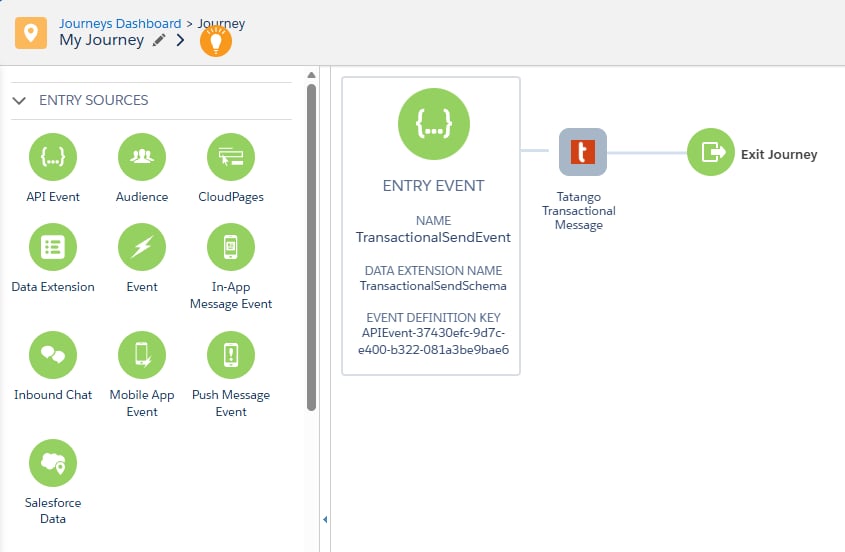
Configure the activity
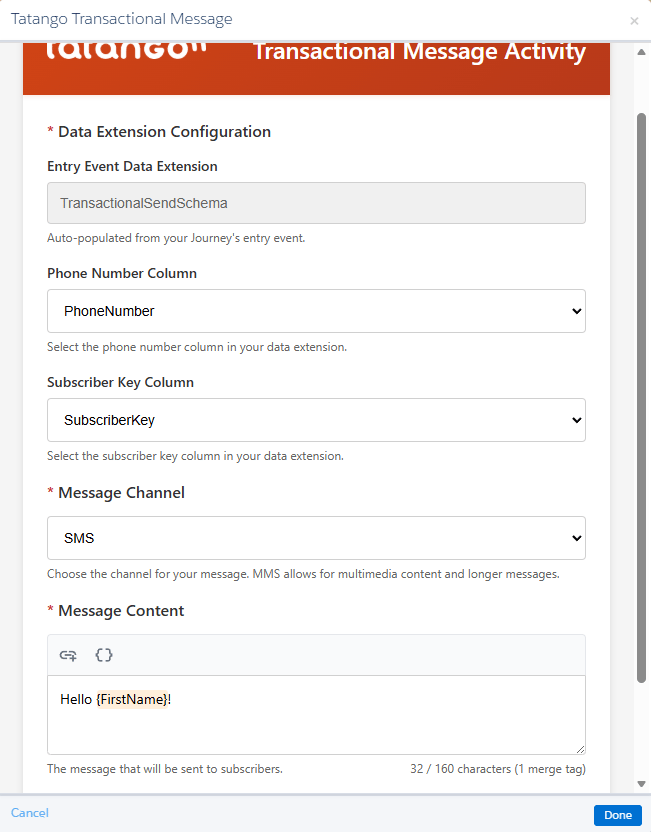
The activity configured for an SMS send
Selecting MMS adds three fields:
Each activity instance carries its own configuration, so a journey can contain several Tatango Transactional Message activities with different content, such as one message per path of a decision split or a follow-up later in the journey.
Send a test message
Click Send Test Message in the activity to deliver the configured message to a phone number you enter, before the journey goes live.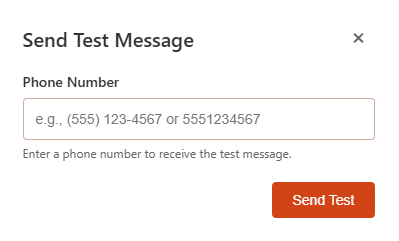
tatango_messages data extension with TEST MESSAGE as their journey and activity IDs, so they are easy to exclude from reporting. The example report query shows you how to do that.
Activate
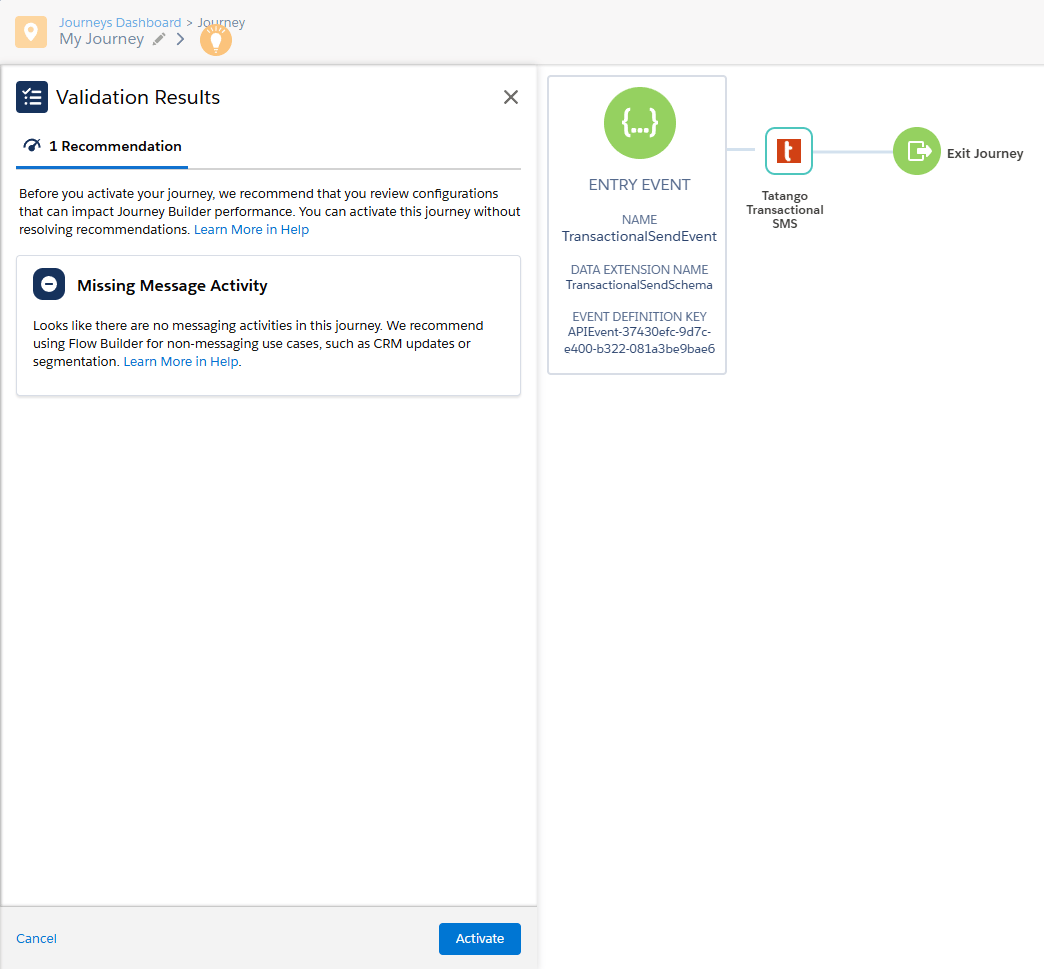
Click Done to validate and save the activity configuration, then Activate the journey and follow the prompts. Once activation succeeds, contacts entering the journey receive messages.Journey Builder’s validation may show a “Missing Message Activity” recommendation because it doesn’t recognize custom activities as messaging activities. It’s safe to ignore and doesn’t block activation.
Compliance is automatic
Before every message sent through the Tatango Marketing Cloud Engagement (SFMC) activity, the activity checks the contact against thetatango_subscribers data extension:
- Contacts who previously opted out of messages sent through the SFMC integration (for example, by replying STOP) are skipped.
- Contacts whose numbers were cleaned because they can’t receive text messages are skipped.
Skipped sends are recorded in
tatango_messages with a send status of skipped and a skip reason, so your reporting still sees the full picture. See the data extensions page for how opt-outs and cleans are captured.